Question
What was the hard part?
A tax payment and receipt management portal built during my internship for Nepal's Financial Comptroller General Office.
Design + Engineering
A tax payment and receipt management portal built during my internship for Nepal's Financial Comptroller General Office.
Evidence board
A tax payment and receipt management portal built during my internship for Nepal's Financial Comptroller General Office.
Question
A tax payment and receipt management portal built during my internship for Nepal's Financial Comptroller General Office.
System
Angular / Node.js / MongoDB / TypeScript
Evidence
MEAN stack handled the mix of transaction flows and multi-district reporting
Decision
Legacy system replacement with zero downtime.
Artifacts linked above
My final year internship at Tribhuvan University required a placement at a real company. I joined SimplySoft Technology Pvt. Ltd. in Dillibazar, Kathmandu: a 15-person software firm that worked almost exclusively on government projects. Their client list included the Ministry of Finance, Nepal Bank Limited, the Office of the Comptroller and Auditor General. Small team, serious work.
My mentor was Kunjan Pandey, the Managing Director. I worked day-to-day with two senior Angular developers. Three months, Sunday through Friday, 11am to 5:30pm. My first professional engineering role.
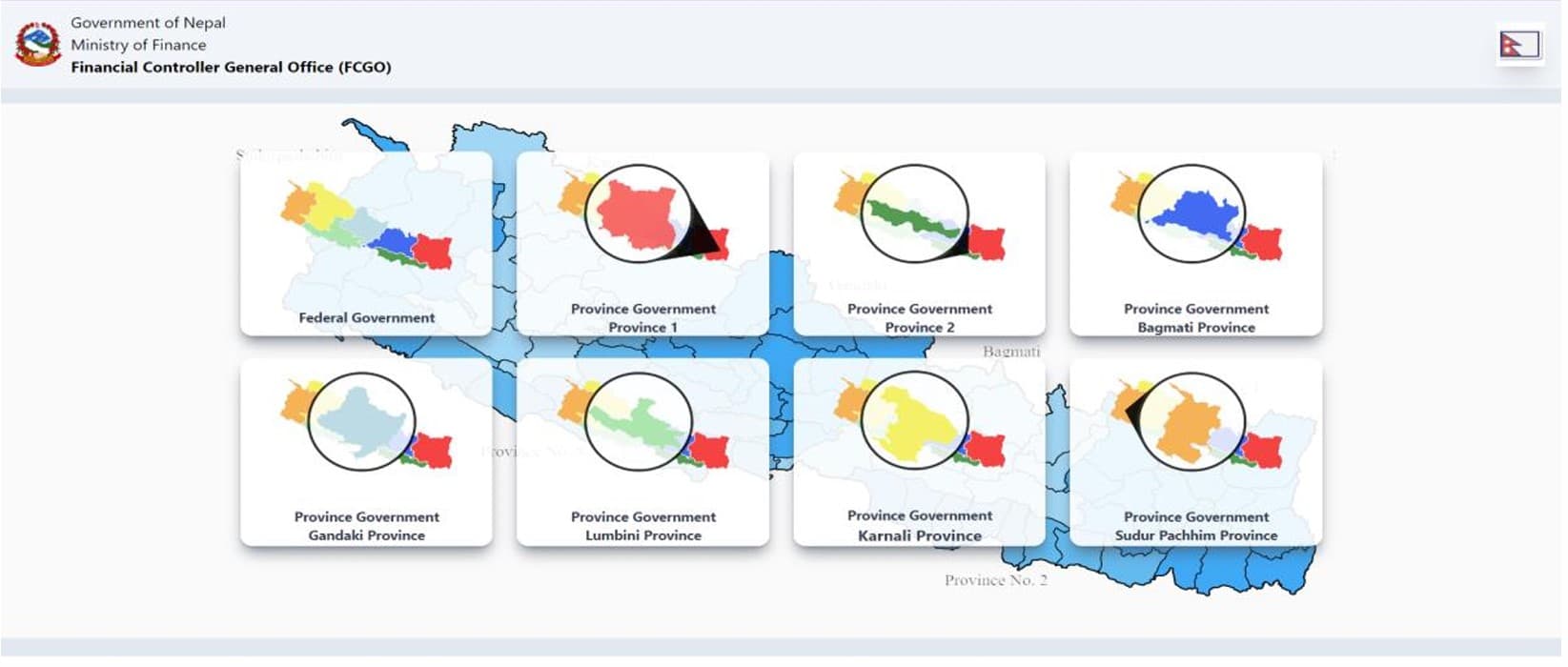
SimplySoft was contracted by the Financial Comptroller General Office (FCGO) to build a Revenue Platform: a centralized portal for tax payment management across Nepal. Revenue collection was scattered across district offices with manual entry, paper receipts, and no unified record of what had been paid, by whom, when. There was no aggregated view. Reconciliation was slow and error-prone.
The production version of the platform was already live and in use. My assignment was to build an internal testing clone from scratch: a sandbox environment where the team could experiment with new UI components, test new technologies, and probe security vulnerabilities before anything touched production. Build the whole thing. Understand every layer.
The first four weeks were pure learning. Angular was new to me. I worked through components, lifecycle hooks, data binding, dependency injection, services, routing, forms. Not just tutorials; every concept had to become something I'd built. By week four I had a working add-to-cart eCommerce app that used all of it.
Week five: I built a functional copy of the existing Revenue Platform UI. The supervisor reviewed it, gave feedback on scalability and code reusability, and sent me back to do it better. That cycle (build, demo, feedback, rebuild) repeated throughout the internship. SimplySoft ran agile. There were no quarterly reviews; there were daily check-ins and weekly demos.
By week seven I had the refactored frontend plus a MongoDB database with two collections: pandata (PAN number, name, address, phone, payment status, amount, revenue head, purpose) and location (district and office data in nested JSON).
Before writing a line of Angular, I wireframed in Figma. The homepage, the receipt creation form, and the analysis dashboard all went through a design pass before implementation. The team reviewed the wireframes, gave feedback, and signed off. That process caught structural problems before they became code problems.
The receipt creation form was the view that got the most design attention, because it deserved it. The users are civil servants in district offices across Nepal: varying levels of digital familiarity, working with high-stakes government data, no margin for input errors. A mistake in a tax receipt isn't like a typo in a chat message.
The most important decision was cascading dropdowns for location selection (province, then district, then office) rather than free-text fields. Civil servants shouldn't need to remember the exact administrative name of their office, and they shouldn't be able to type something that doesn't match a valid record. Constraining the input space removes an entire category of data errors.
Progressive disclosure mattered most in the office dropdown. It doesn't appear until a district is selected. That keeps the first view simpler and prevents invalid combinations. The form opens up only after the user provides valid context.
After form submission, a receipt preview renders before anything is finalized. The user sees exactly what record is about to be created (PAN number, name, amount, fiscal year, office, all of it) and confirms it. The preview also proves that the system understood the input correctly.
Receipt entry · constrained selection
step 1
Pick province
province1 … province7
step 2
Pick district
From a searchable table for that province
step 3
Pick office
Dropdown scoped to the chosen district
step 4
Printable receipt preview → confirm
See the exact record before it's saved
Design Decision
Designing for users who may be encountering a web form for the first time was a useful forcing function. At each step: could someone complete this correctly without any documentation?
The analysis dashboard was designed before the API was built, not after. I sketched three charts, each answering a distinct question: How much has been collected versus outstanding? Which banks are processing the most volume? How has collection changed across fiscal years? Three questions, three charts. Once those were defined, I built the /api/analysis endpoint to return data in the exact format each chart needed.
The database lives in MongoDB. location stores the geographic hierarchy; pandata stores every payment record.
The REST API runs on Node.js with routes for every data access pattern: GET /api/status/paid, GET /api/status/unpaid, GET /api/byPan/:panNumber, and GET /api/analysis. Each route returns only the data its consumer needs. Raw records stay on the server.
The Analysis page uses ChartJS with three visualizations: a stacked bar chart (paid vs. unpaid per category), a line chart (total revenue per bank), and a pie chart (totals by fiscal year in Bikram Sambat, 2073-2079).
Architecture · as consumed by the client
MongoDB (inferred)
Receipts + location hierarchy
PAN, amount, bank, status, fiscal year · province → district → office, nested
endpoints called
/location · /getAll · /status/paid · /status/unpaid · /post · /analysis
PAN lookup filters /getAll on the client — there's no /byPan route
receipt form
Cascading selection → printable preview
ngx-print renders the receipt before commit
Chart.js
Analysis dashboard
Line (per bank) · bar (paid vs unpaid) · doughnut (by bank) · pie (by fiscal year, BS 2073–79)
Feedback loops matter more than working code. The first version worked. The second was better because the first got reviewed and criticized. The fifth was significantly better for the same reason. Shipping early and getting feedback is faster than trying to get it right before showing anyone.
Data shapes determine what you can build. I built the analysis API endpoint specifically to return data in ChartJS-compatible format. Doing the aggregation in the API rather than on the frontend made the visualization code clean and the system more secure. The shape of the data you expose determines what you can build with it.
Professional pressure is different from academic pressure. In university, a working demo gets full marks. At SimplySoft, a working demo got feedback on why it wasn't scalable, why the code wasn't reusable, what would happen under load. That shift in standards was uncomfortable and useful.
The project was a proof of concept being evaluated for integration into the production environment at the time of the report. That's a different feeling than submitting an assignment.
What Worked
What Didn't
Built with