Question
What was the hard part?
Make city exploration feel active, spatial, and a little game-like.
Design + Engineering
A game-like 3D map for exploring Washington D.C., with building extrusions, fly mode, landmarks, museums, and actual tree data.
Evidence board
A city map reframed as an explorable world, using game mechanics and layered geospatial data to reward wandering.
Question
Make city exploration feel active, spatial, and a little game-like.
System
TypeScript / Mapbox GL JS / Next.js / React
Evidence
The stylized map made exploration feel different from navigation.
Decision
A browser-only build forced every map layer and interaction to earn its performance cost.
Artifacts linked above
I live in DC and genuinely love exploring it: the museums, the monuments, the parks, the neighborhoods. But most people navigate the city by staring at Google Maps or getting lost. Neither felt like the right way to experience Washington D.C.
I wanted something that made the city feel like a world to explore rather than a set of directions to follow. Something closer to a game than a navigation app. So I built one.
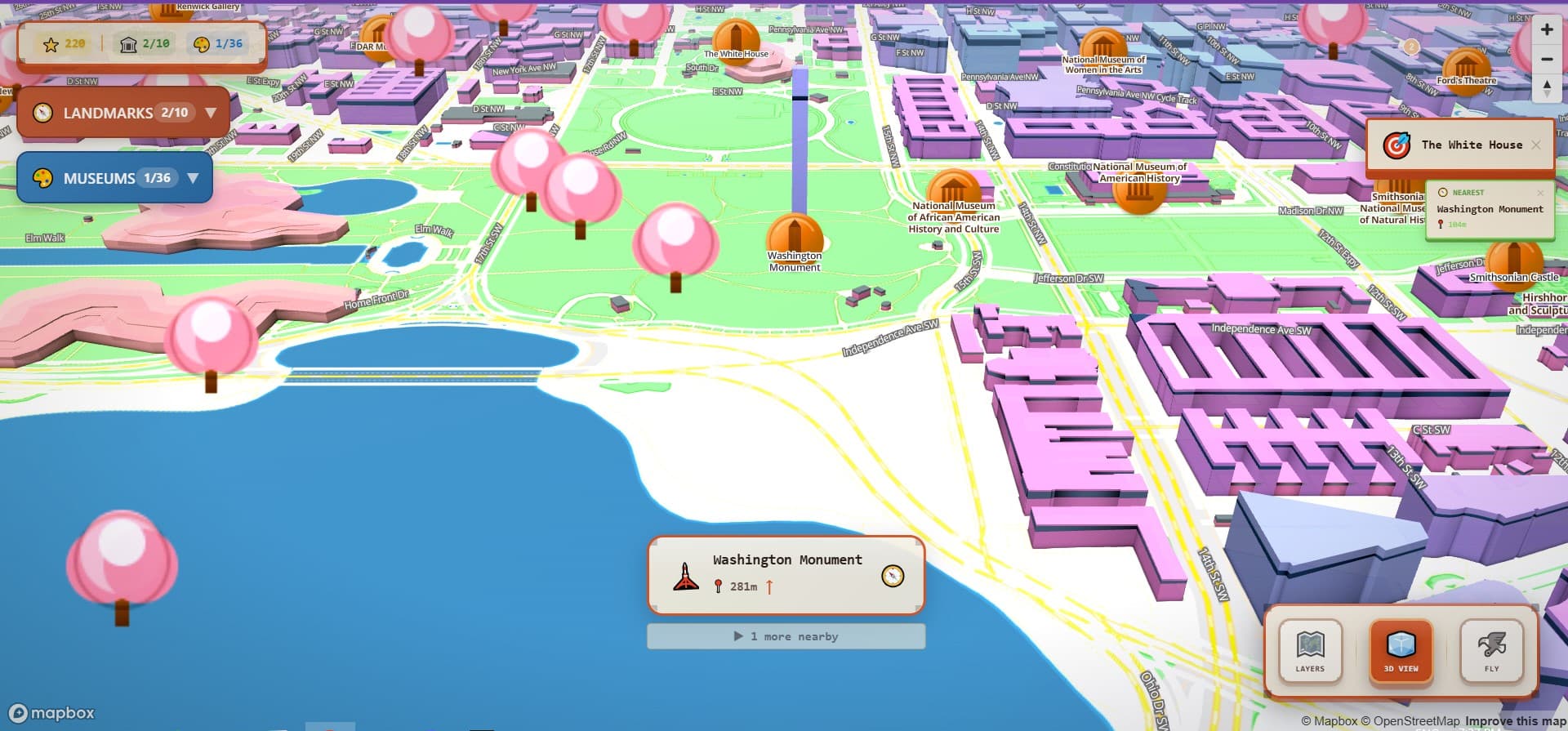
DC Map is a 3D interactive map of Washington D.C. that is meant to be fun, not just useful. What if you could explore the city from your browser the way you'd explore a game world? Discover landmarks, learn about museums, fly over the National Mall, watch the trees change color with the seasons.
The map uses Mapbox GL JS with 3D building extrusions. Real elevation data, real building geometry, rendered with a slightly stylized aesthetic that makes it feel designed rather than like a raw satellite view. You can zoom, pan, rotate, and tilt freely. The whole screen is the map.
Visual Evidence
Image
Design Decision
Photorealistic maps signal "this is for getting somewhere." Stylized maps signal "this is a place worth spending time in."
The aesthetic choice came first and shaped everything after it. Slightly stylized buildings, muted color, clean geometry: all of it signals something different from Google Maps. This is a place you'd want to spend time in.
The information cards on landmarks and museums are deliberately minimal: a name, one sentence of context, and a search link. A detailed card creates a reading task. A brief card tells you just enough to be curious, then gets out of the way.
The layer controls give users independent toggles for landmarks, museums, trees, and parks. This was about respecting that people explore differently. Someone doing a museum tour doesn't need seasonal tree data cluttering the view. Independent layers let the user compose their own map, closer to how people actually think about a city.
Visual Evidence
Image
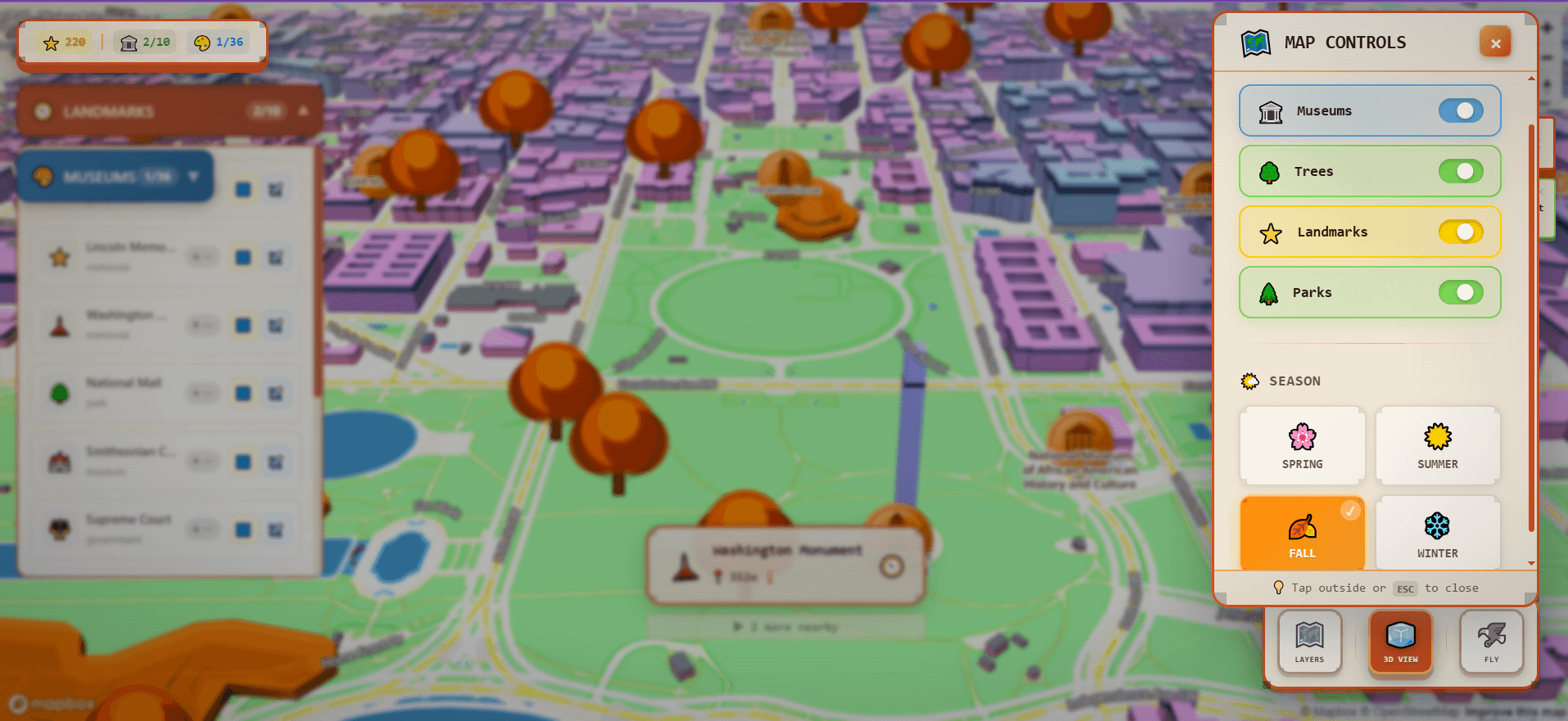
The city is organized into layers you can toggle independently. The tree layer uses real DMV tree inventory data: thousands of actual trees plotted across DC. You can change the tree colors by season: spring greens, summer deep green, autumn reds and oranges, winter grey. Parks layer in with their own seasonal coloring on top.
Landmarks and museums are the exploration layer. DC has 10 major landmarks and more than 36 museums catalogued from Open Data DC. Click on any of them and you get a small information card: what it is, a bit of context, and a search link if you want more.
Side By Side
Compare
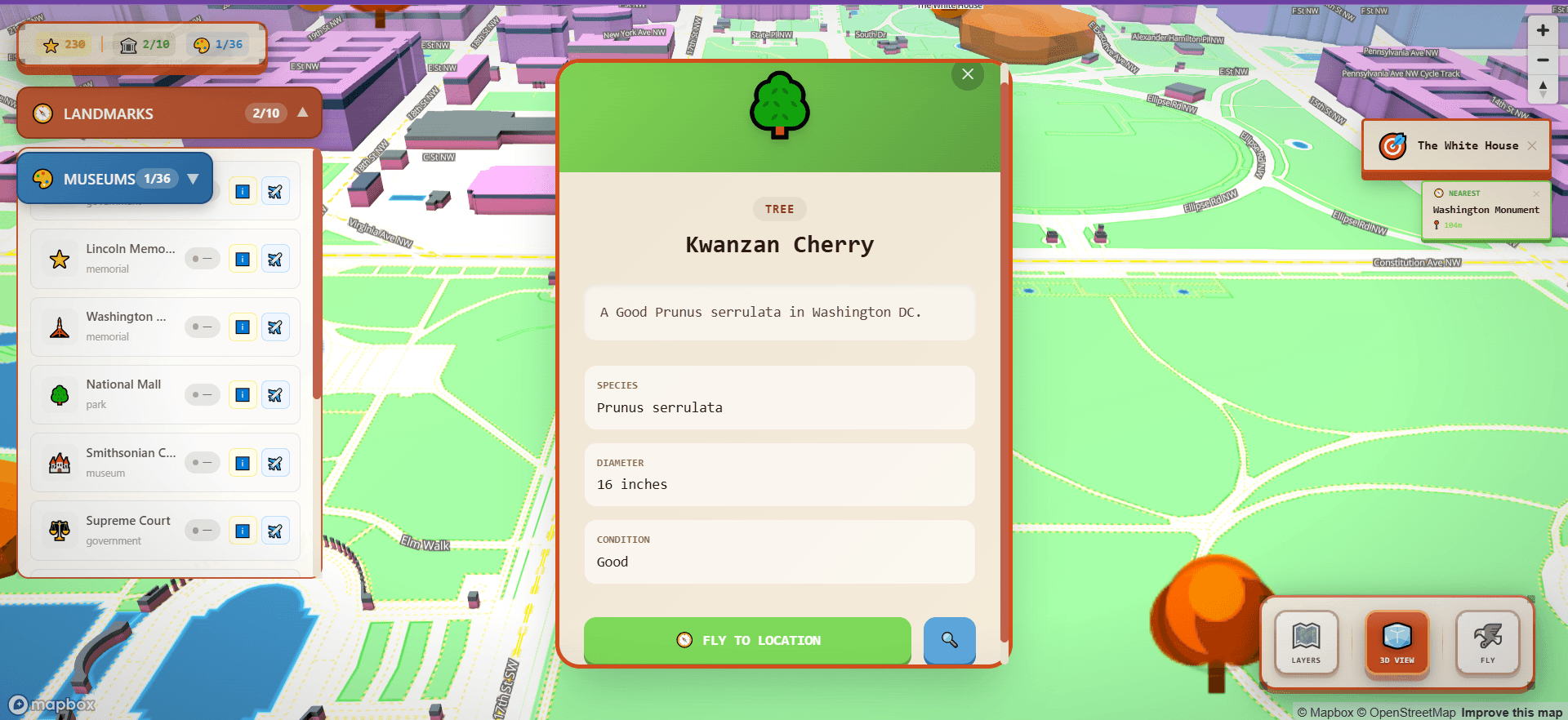
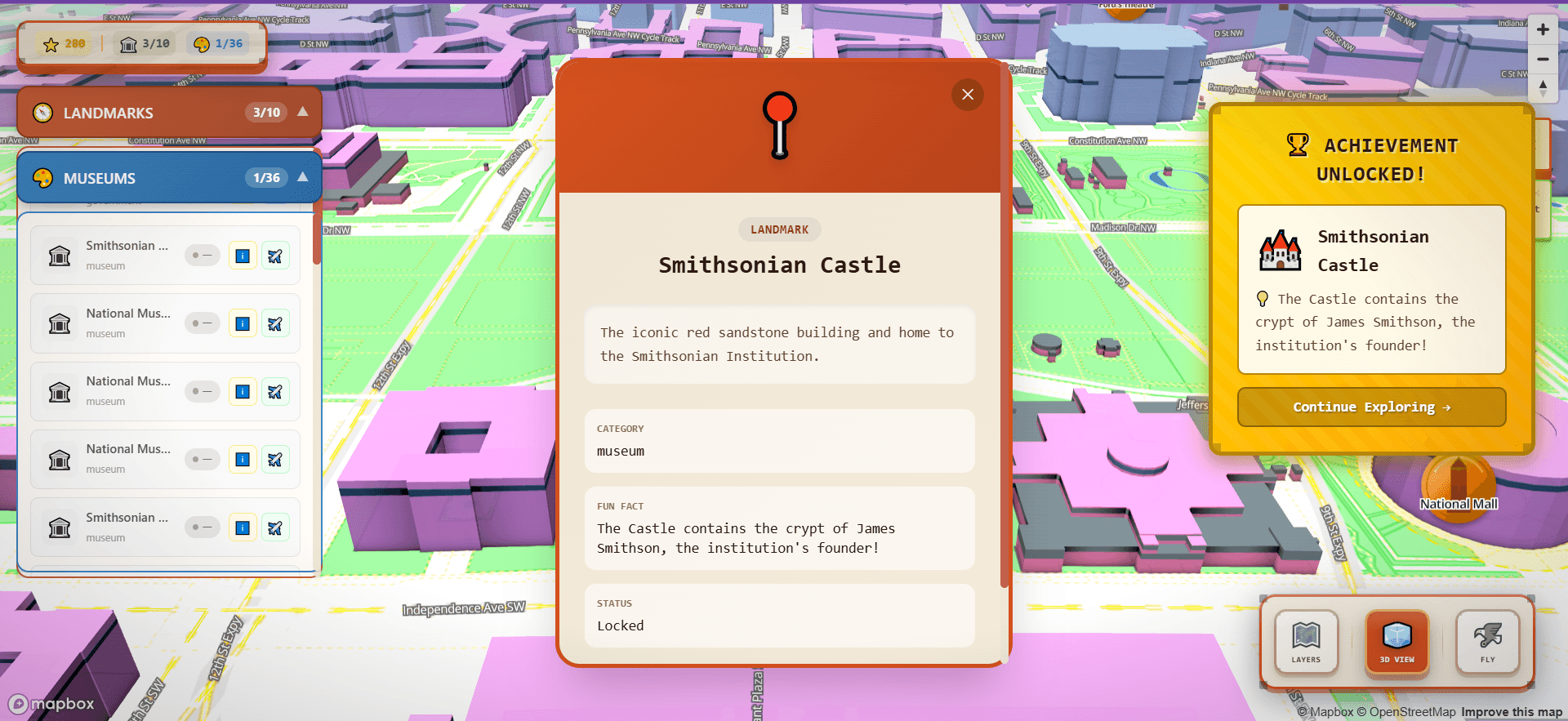
There's a progression system built into the exploration. When you move close to a landmark or museum (within 50 meters) you discover it. Discovering a landmark earns 50 XP. A tree is 10 XP. The XP accumulates into a level system with achievement unlocks. Progress is saved locally so your discoveries persist between sessions.
The specific mechanic matters: you earn points by getting within 50 meters of a landmark, not by clicking on it from any distance. It requires physical navigation. You have to move toward the thing to get credit. That changes the mental model from "looking at a map" to "moving through a city."
Progression · points for getting close
every ~500ms
Am I within range of an undiscovered place?
~50m on foot, ~40m in fly mode (Haversine distance)
+50 XP
Discover the landmark
Marker turns from red → green; discovery animation fires
level up
New level + achievement unlocks
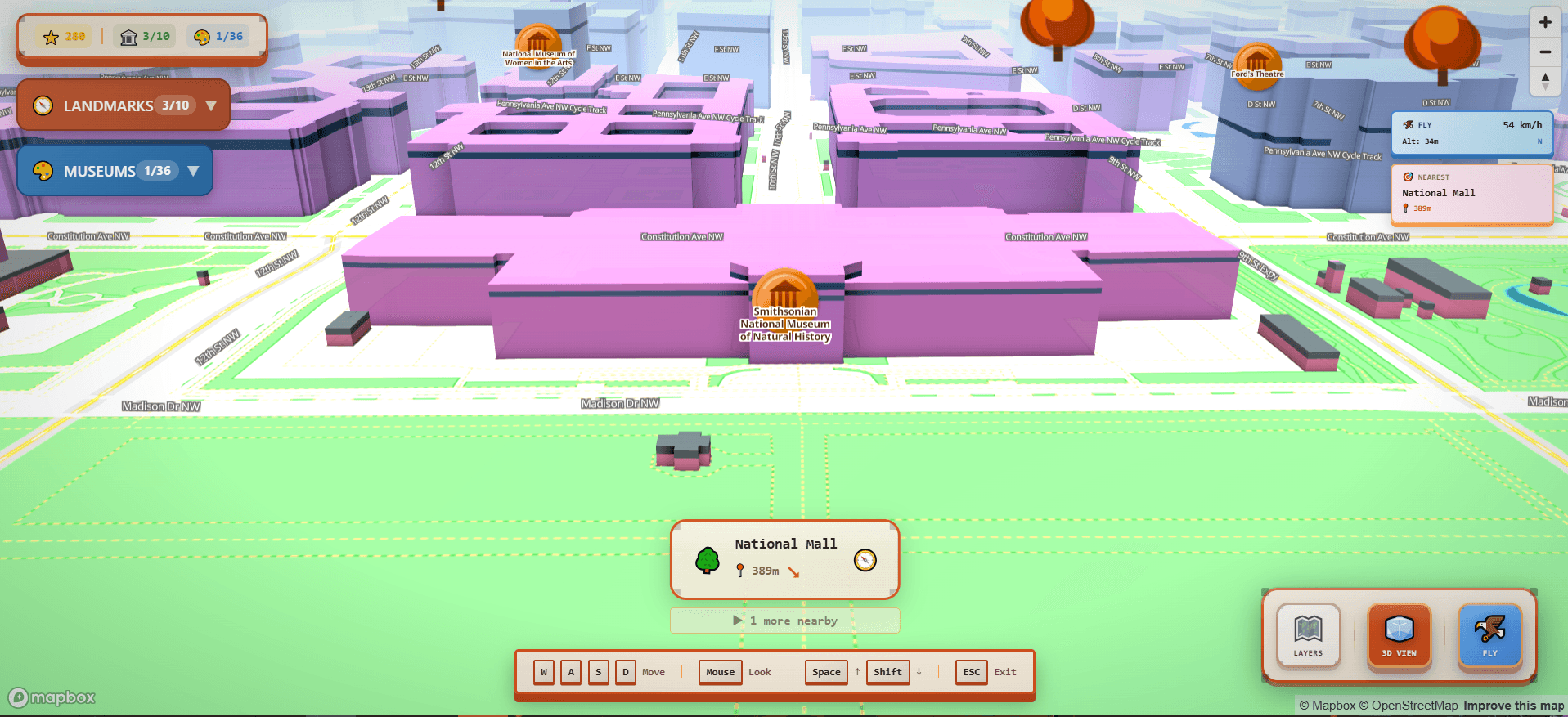
Fly mode lets you leave the map plane entirely and navigate DC as a first-person flyover, moving through the 3D building geometry with WASD controls and mouse look, like a free camera in a game engine.
Getting this to feel right took iteration. Camera movement with momentum and easing feels cinematic; without it, it feels like a broken drone. I went through multiple iterations of easing curves, acceleration rates, and turn sensitivity before it landed: responsive but not nervous, cinematic but controllable.
Visual Evidence
Image
Most of the interesting technical work was in the data layer. DC Map uses several static GeoJSON datasets: landmark locations (manually curated), museum locations from Open Data DC, the full DMV tree inventory, DC's walkable road network, and a navigation graph built from road data for pathfinding.
The road network data needed preprocessing. I built a custom walk-graph generation script that converts the raw road data into a navigable node/edge graph, and Turf.js does the geospatial math in that build step. At runtime the discovery loop stays dependency-free: a small hand-written Haversine calculation handles proximity detection, so the per-frame check isn't pulling in a library.
The architecture runs through a centralized StateManager that coordinates game state, landmark tracking, museum progress, XP, fly controls, and map state through custom hooks and providers. Everything that matters (discoveries, level, achievements) persists to localStorage.
System architecture
GeoJSON
Landmarks · museums
10 curated landmarks · 36 museums (Open Data DC)
GeoJSON
Trees · roads
DMV tree inventory · DC walkable road lines
Mapbox GL JS · Standard style
Native 3D map
Buildings, trees, satellite toggle · zoom / pan / rotate / tilt / 360° orbit
StateManager + hooks
Game state
useGameState · useLandmarks · useMuseums · useFlyController · useExperience
localStorage
Your progress, kept
dc-game-progress · dc-experience · dc-waypoints
Navigation apps are optimized for getting you from A to B efficiently. That's useful. But exploration is a different mode. Curiosity and wandering deserve a different interface.
DC is a beautiful, walkable, historically dense city that a lot of people only experience as a sequence of tourist checkpoints. DC Map is for the other kind of visit: the one where you wander, discover something you didn't plan to find, and come away with a better sense of the place as a whole.
What Worked
What Didn't
Built with