On this page
I built a webcam filter app with AI and have some thoughts
A webcam-filter experiment taught me when to trust AI's implementation ideas, when to restate the goal, and when to delete what it had built.
One HTML file, one creative experiment
A few weeks ago, I started noticing these weird little webcam apps online. Hand tracking that lets you draw in the air. Face filters like Snapchat, but running entirely in the browser. Games you play with gestures instead of a controller. I'd been wanting to make something in that space for a while, but honestly, I didn't have the time, and some of the tech they were using (MediaPipe, TensorFlow.js, the Canvas math), I didn't really know how to use.
Then this assignment showed up, specifically the category "AI as a collaborative creative partner." The rest of the options looked more like homework. This one looked like the perfect opportunity to finally try the thing I'd been sitting on.
I made myself one rule going in: treat the AI as a real collaborator, and push back when it was wrong. Keep notes on who contributed what. The goal was simple: one HTML file with no frameworks and no build step, which you could open in a browser and point at your face. If I could ship that, I'd call it a win.
I ended up with 12 filters and a blog post that has changed direction about five times. The app is at
filters.praks.me.
This is how it got built.
A feeling was enough for the first prototype
I started in Gemini, mostly out of curiosity. I wanted to see what a regular chat model could do from cold with no tools, no project context, no nothing. I spent a few minutes writing the first prompt carefully:
I am working on a creative coding project, and I want you to act as my collaborative technical partner. I want to build a single-page web app (HTML, CSS, Vanilla JavaScript) that takes my live webcam feed and applies a real-time visual filter to it on an HTML canvas. For our first iteration, I want the vibe to be 'Minecraft' or 'Retro 8-bit'. The video should not just be low resolution; it should be actively pixelated into chunky blocks, and the colors should be restricted or posterized so it feels like a retro video game.
Two things I did on purpose here, and they turned out to matter for the whole project. One, I called it a collaboration in the first sentence. Two, I gave it a feeling ("Minecraft") instead of a spec. I wasn't telling Gemini "pixel size 16, color depth 6." I was saying, "I want this to feel like a thing you already know." That put the interpretation on the model.
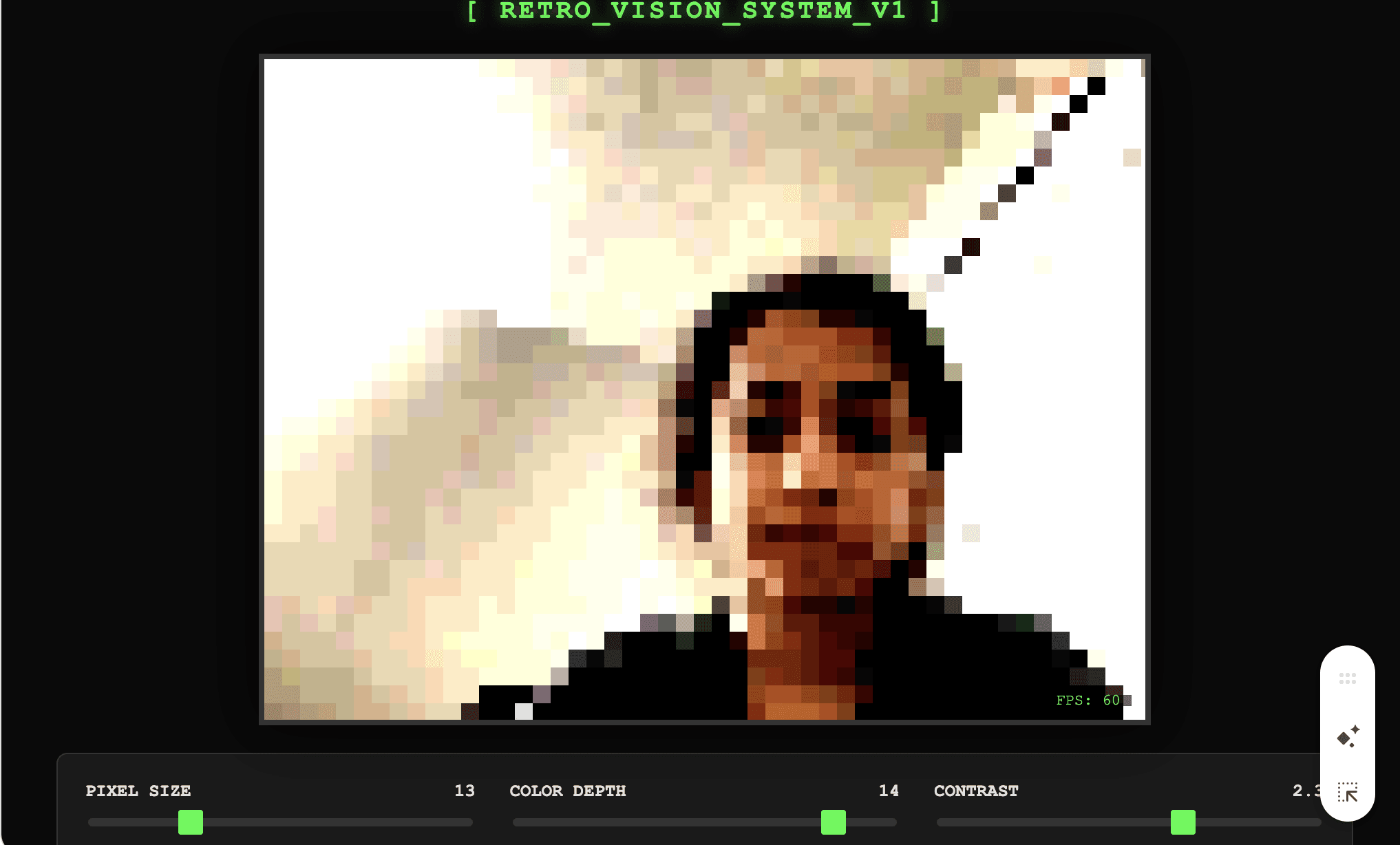
Gemini thought about it for about 30 seconds and gave me a complete working prototype. Chunky pixelated webcam, posterized colors, a little CRT-green status bar at the bottom. First try, no iteration:
I sat there staring at it for a minute, because I hadn't written a single line of code and it already had exactly the vibe I was going for.
Make movement change the picture
So I got greedy. Second prompt:
Change the code so the pixel size isn't controlled by a slider, but is determined by movement. If I sit perfectly still, the video should slowly become crystal clear. But if I move my head or wave my hands, the motion should cause the video feed to instantly shatter into huge, chunky pixels.
"Shatter." "Slowly become crystal clear." I was writing prompts like I was directing a music video. I did not mention pixels-per-frame, or a sensitivity threshold, or anything technical. Gemini read that and built per-pixel motion detection, driving a dynamic pixel size. Sit still and the picture clears up:
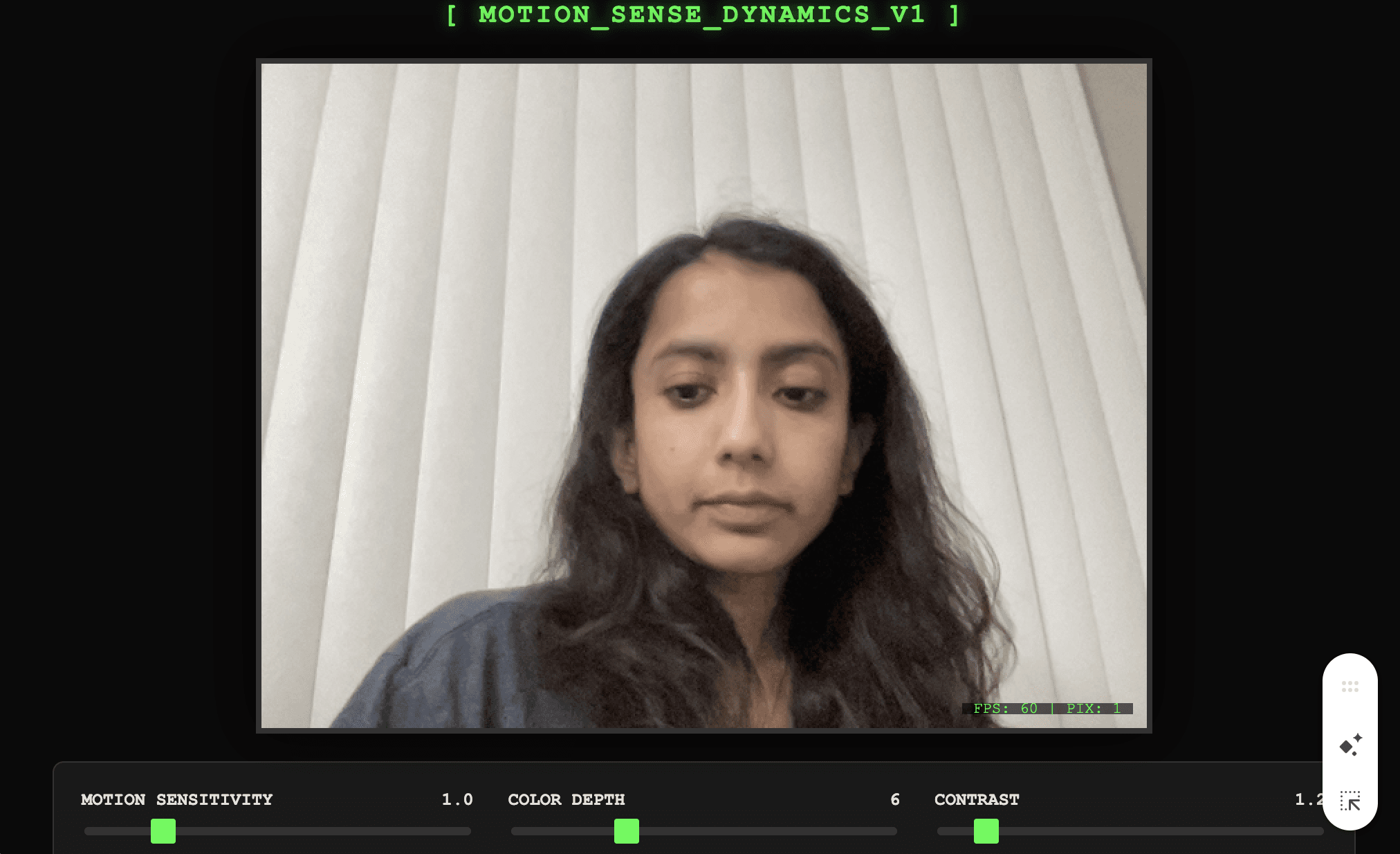 Wave your hands and it breaks into chunky blocks in real time. It felt like I had a music video director sitting next to me, instantly rendering whatever I described.
This is the point where I started noticing something that surprised me for the rest of the project: prompts for feelings worked way better than prompts for features, at least early on, as long as the feeling pointed at a concrete behaviour I could check on screen.
Wave your hands and it breaks into chunky blocks in real time. It felt like I had a music video director sitting next to me, instantly rendering whatever I described.
This is the point where I started noticing something that surprised me for the rest of the project: prompts for feelings worked way better than prompts for features, at least early on, as long as the feeling pointed at a concrete behaviour I could check on screen.
ASCII rain and a recording button
I kept pushing. Third prompt, I went for a full reskin:
Let's completely change the render method. Stop drawing image pixels. I want you to convert the webcam feed into real-time ASCII art drawn on the canvas. Map the brightness of the video to different text characters. Here is the catch: tie in the motion detection. The ASCII characters should fall from the top of the screen like Matrix rain, but my physical movement should 'collide' with the text, pushing the characters out of the way or scrambling them into randomized glitch symbols.
Gemini built a Matrix rain effect where my silhouette pushed the falling characters out of the way. Fourth prompt added a MediaRecorder-based recording button that captured the live canvas to a WebM file. Fifth prompt styled the whole thing as a phosphor-green hacker terminal with a CRT flicker effect, and turned the three filters into a clean mode-switching menu:
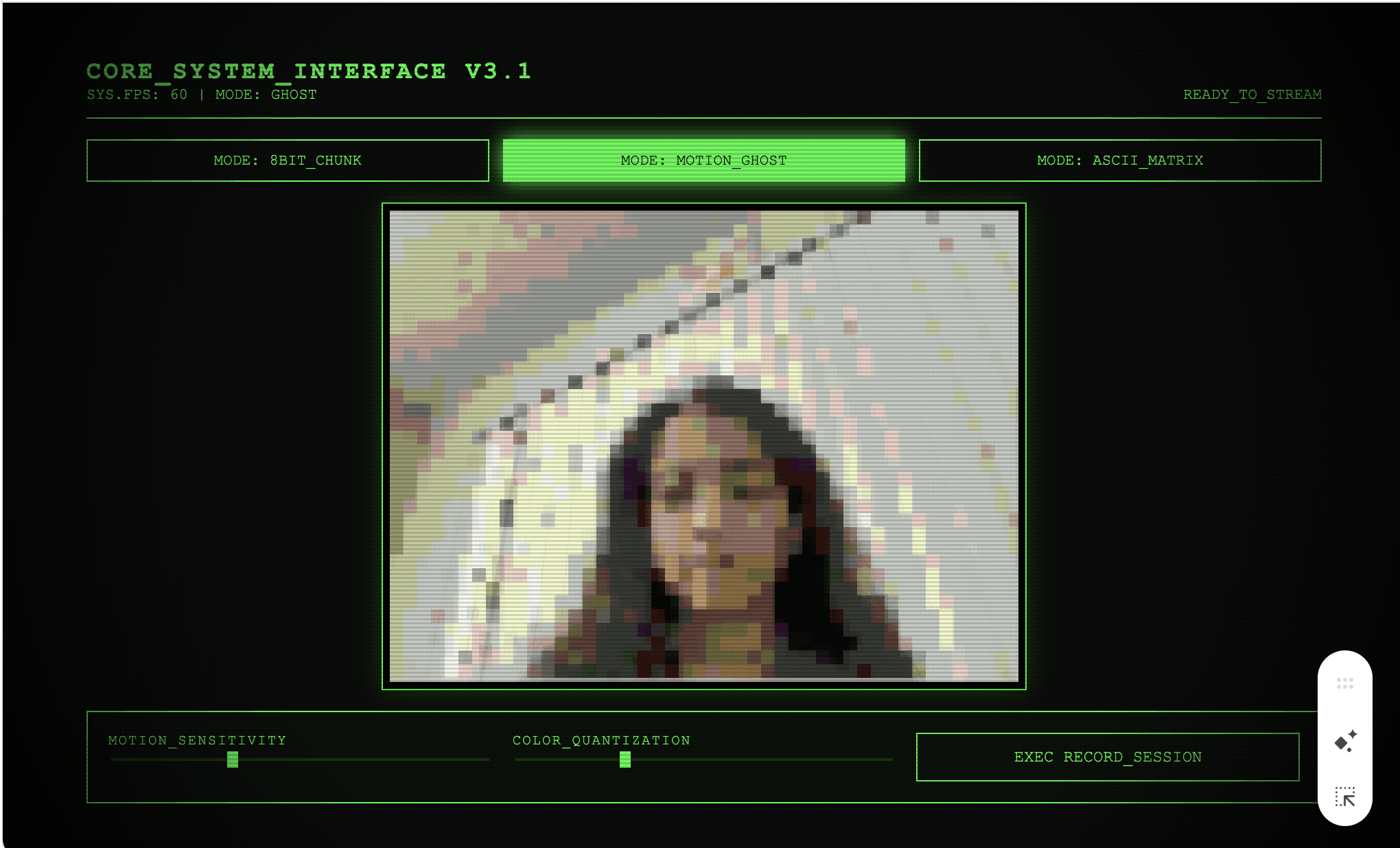 This entire first hour felt like a cheat code. Not in a bad way, in a "wait, this is actually different" way. I was making creative decisions faster than my own taste could keep up with. Gemini wasn't replacing my ideas, it was catching them before they went stale.
The chat window became the bottleneck
Around the sixth prompt, Gemini started to slow me down. The file was getting big. I wanted to add real ML models (TensorFlow.js for object detection, MediaPipe for hand tracking) and the chat window was making me copy and paste the whole HTML file in and out every iteration. I was going to start losing bits of it. I needed something that could actually edit files in place and run commands in a loop. So I moved to Claude Code. Same idea, different interface, more autonomy. I dropped the Gemini code into my repo and kept going. The very first thing I typed into Claude was "the ghost mode is broken." What followed was two hours of hell.
Ghost mode: fixing the goal before the code
I should explain what ghost mode is, because it matters. The idea was: everything starts blurred, and the parts of the image that stay still slowly become clear. If only your eyes blink while the rest of you sits still, only your eyes stay blurred. I wanted it to feel like a ghost slowly materializing into focus.
When I loaded it up in Claude's version of the project, I got this:
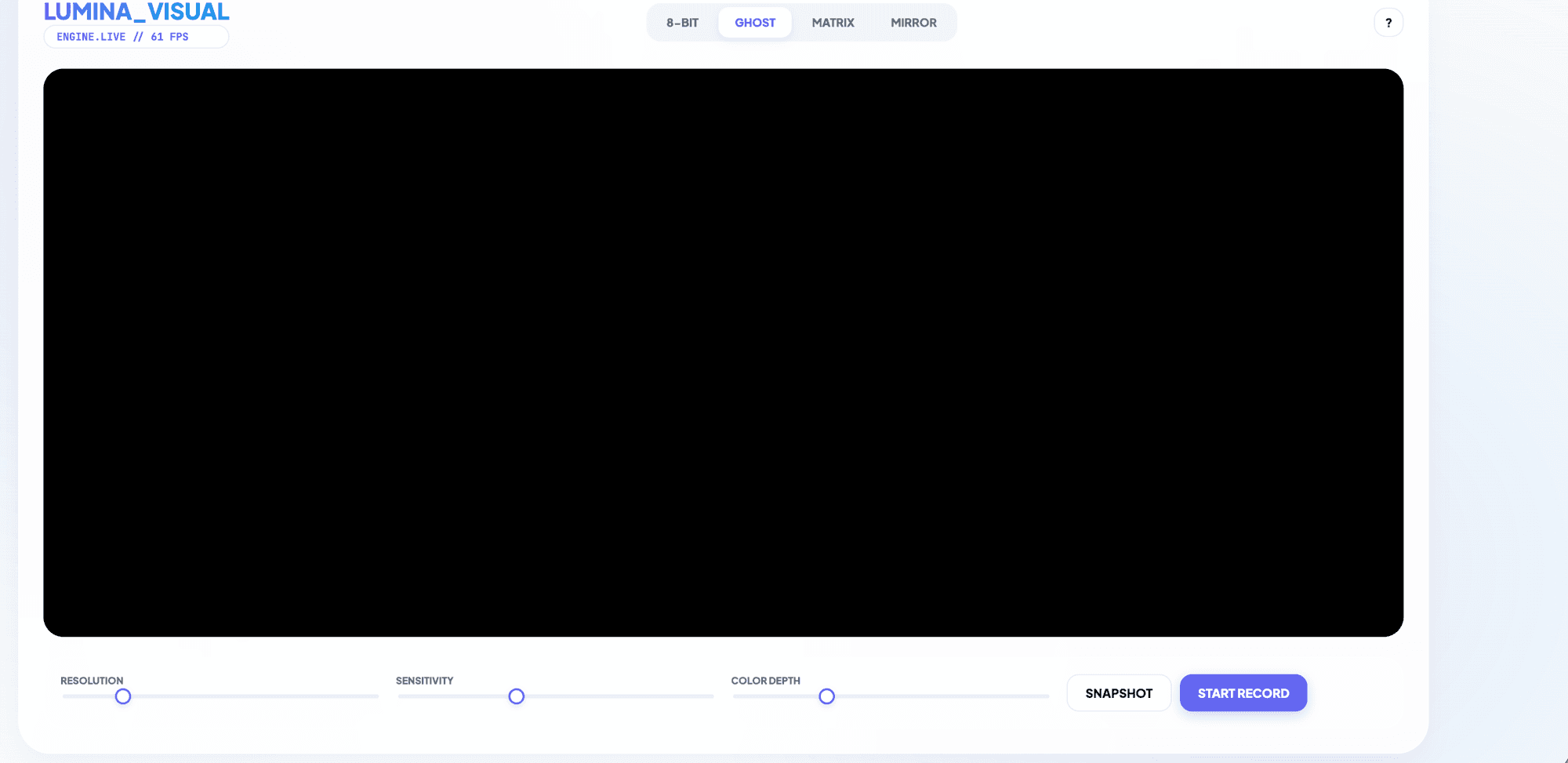 Completely black canvas. Nothing rendering.
Me: the ghost effect is fully broken
Claude: Let me re-read the current ghost code to see what's happening.
Me: Ghost mode is the only one not working there is no feed at all
Claude: The heavy box blur init is likely freezing/stalling the render loop. Let me simplify — just init from the actual frame and it'll work immediately.
Reload. Still broken. Different state this time: fully white. Another round: back to black. Another: wrong filter loading in ghost mode's slot. Claude cycled through every plausible technical cause, one after the other, from alpha blending and motion thresholds to buffer types and init ordering, until it had exhausted the space of theories. None of them worked, because Claude was guessing from inside the code, with no idea what was actually on my screen. I was Claude's only sensor. And I'm a slow sensor. Look at the screen, type out a description, hit enter, wait for a fix, reload, look again. Repeat. Around round seven, late at night, frustrated, I gave up trying to describe the bug and just described what I actually wanted the filter to do:
Me: hmm i think it should be reversed, in a sense that when we are in ghost mode, everything should be blur/pixelated in start and when objects/people are still it should show clear option.
Claude fixed it in one round. The proposed fixes seemed to be working toward a different version of ghost mode than the one I wanted. I'd never actually told it the behavior I wanted. I'd just kept sending screenshots of broken states and assuming we shared the same goal. We didn't. The most useful thing I learned on the entire project is simple: when the AI gets stuck, stop describing the bug. Start describing the goal again, from scratch, in plain words. In this run, restating the target helped more than another description of the broken canvas.
Seven filters had to go
With ghost mode fixed, I went on a tear. I renamed the project from "LUMINA" to "Filters." I swapped an old mirror filter for a Fruit Ninja game where your hand movements slice falling fruits on screen. I added object detection using COCO-SSD. I had Claude rewrite Matrix a couple times until it looked right. At one point Claude had me running Japanese katakana characters in Matrix mode because that's what most Matrix rain demos online use, and I had to send "use binary codes not whatever language that is" to fix it. Small moment, but a good example of Claude's defaults tracking "most common internet demo" rather than "what this specific user asked for."
I was feeling unstoppable. I asked Claude what else we could add, and it came back with a list of nine filter ideas. I typed, and I'm quoting myself exactly: "lets add all of these."
Claude did exactly what I asked. Spun up parallel agents and built all nine in about twenty minutes. I reloaded the page and clicked through them one by one, with growing embarrassment.
The Thermal filter was just a red-orange tint. The Pop Art filter looked like someone had smeared crayons on my webcam. The Glitch filter was one ugly scanline effect that didn't even move. The Nature filter, which I had pitched as an "ecosystem that builds when you stay still," had been interpreted as, I am not making this up, a Tetris game with hand-controlled tree-shaped blocks:
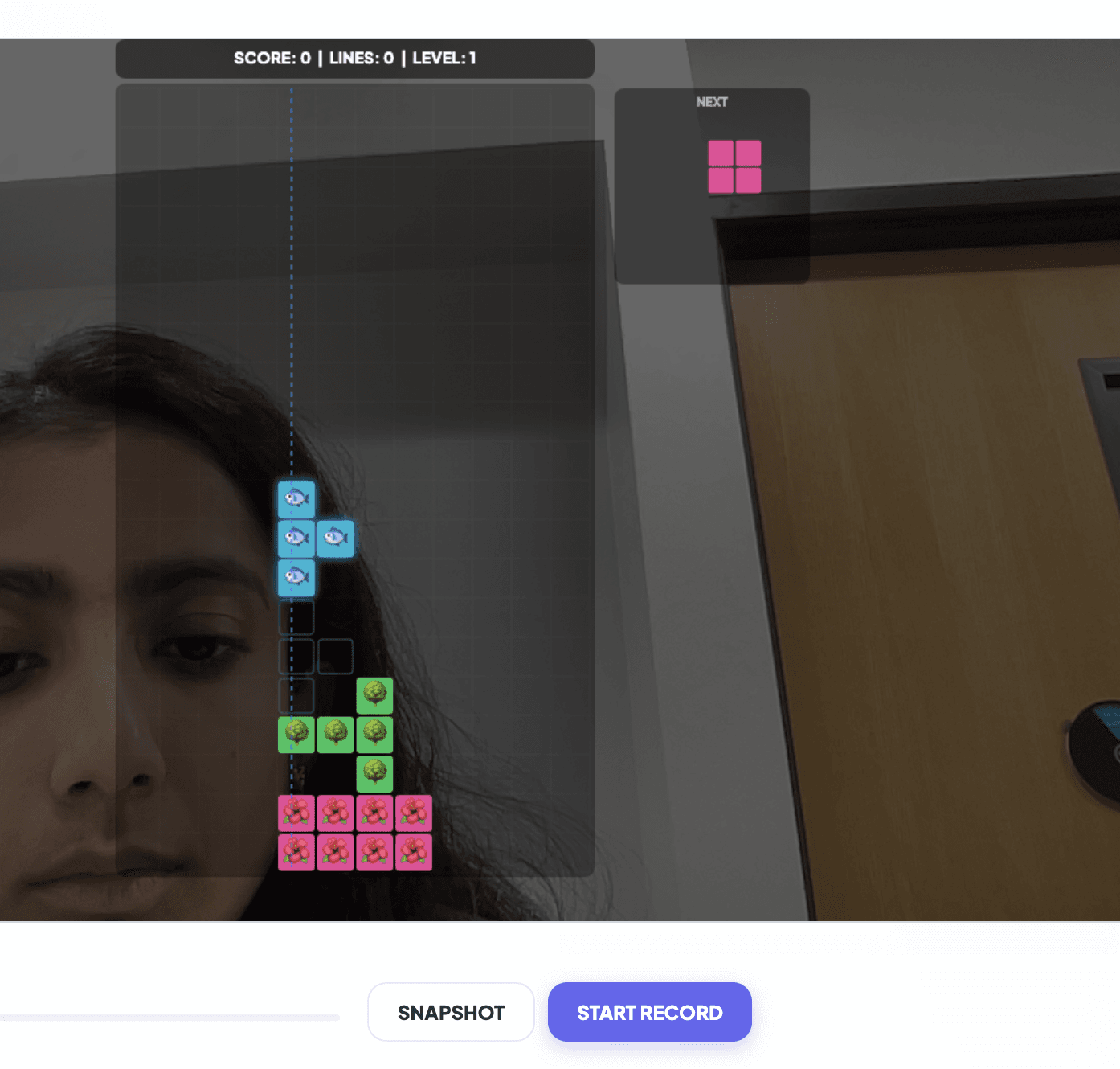 I really want you to look at that. Technically a Tetris game. Technically tree-themed. Technically what I asked for. Also, completely unhinged. No hand tracking actually working. Blocks falling through my face. "Ecosystem" apparently interpreted as "things in a grid that accumulate." I sent Claude the screenshot with the message, "this is not making sense at all. there is no hand trace movement nor anything. looks rubbish."
And then I did the thing I think was the actual turning point of the whole project:
I really want you to look at that. Technically a Tetris game. Technically tree-themed. Technically what I asked for. Also, completely unhinged. No hand tracking actually working. Blocks falling through my face. "Ecosystem" apparently interpreted as "things in a grid that accumulate." I sent Claude the screenshot with the message, "this is not making sense at all. there is no hand trace movement nor anything. looks rubbish."
And then I did the thing I think was the actual turning point of the whole project:
Me: remove thermal, glitch, pop art, neon, nature, liquid, particle from the whole site. it does not look good.
Seven filters gone in one message. The file dropped from 2438 lines to 1695. The app went from 14 mediocre filters to 7 good ones. Weirdly, I did not feel good about this. I felt like I'd just deleted a bunch of my own work, except it wasn't really my work, it was Claude's. I'd asked for it, but I hadn't typed a line of it. That tension, of cutting code I'd commissioned but couldn't claim credit for, was uncomfortable in a way I didn't expect. But it was the right move. Every filter I added after the cut got built with a different level of scrutiny. The question in my head went from "what's the coolest thing we could add next" to "does this actually belong in the app I'm trying to make." I stopped being a customer of the AI and started being an editor.
Smoothing made the Draw filter usable
Now I want to tell you about the moment Claude saved me from myself. I built a Draw filter where you hold up your index finger to the webcam and sketch in the air. I had Claude wire it up with MediaPipe Hands. It worked, technically, but the lines were jittery and the gesture detection kept flickering between "drawing" and "paused" every few frames. I'd probably have shipped it like that and called it done, because I didn't know what else to try. Instead I asked:
Me: The Draw filter is a bit bad, like it dosent properly draw and is having issues drawing and following the movement. Whats the state of the art for approaches liek this
Claude's response was the most valuable single thing I got out of the whole project:
Claude: The core issues with the current Draw filter: 1. Jitter — raw MediaPipe landmarks jump around, making shaky lines. 2. Gaps — when you move fast, detection can't keep up, leaving disconnected dots. 3. Gesture detection — the draw/pause/erase states flip unpredictably. State of the art for browser hand tracking is still MediaPipe, but the fix isn't the model — it's post-processing. You need a One Euro Filter for smoothing, Bezier curve interpolation for smooth lines, and gesture debouncing so the modes don't flip on noisy frames.
I had never heard of a One Euro Filter. It smooths a signal with a cutoff that adapts to movement speed: more smoothing when movement is slow, less lag when it is fast. The authors' explanation helped me put a name to the improvement. About 20 minutes after Claude proposed it, the Draw filter felt much steadier. If I'd been building this alone I would've shipped something jittery and told myself it was fine. I wouldn't have known there was a better answer. The AI wasn't just faster than me here, it knew things I would never have found on my own.
Which ideas stayed
After the One Euro Filter thing, I started trusting Claude's idea lists. And this is where a lot of the final app came from. Face Filters (14 AR masks tracked to my face with MediaPipe Face Mesh) was Claude's suggestion. Color Pop (the Sin City effect where everything is grayscale except one chosen hue) was Claude's suggestion. Procedural sound effects for the Slice game, generated from Web Audio API oscillators with no audio files, was Claude's suggestion. Floyd-Steinberg dithering for the 8-bit palette, which makes the retro look feel authentic, was Claude's suggestion. An auto-quality downscaler that drops render resolution from 1080p to 720p when FPS tanks, also Claude's. I would read through these lists and realize I was picking from a menu I could never have written myself. I also added a few filters that came directly from me, including X-Ray (you make a frame with both hands and the area inside the frame renders as an X-ray scan of you), Cat's Cradle (glowing dots on your fingertips with rainbow strings stretched between them), and Clone Stamp (make an L-shape with both hands to freeze a snapshot of yourself into the scene). The creative direction was mine, the implementation was Claude's.
The final product
By the end the app had 12 filters and a dark UI I'd rebuilt a few times. The screenshots below come from an earlier five-filter build with a light interface, before the later filters and the redesign:
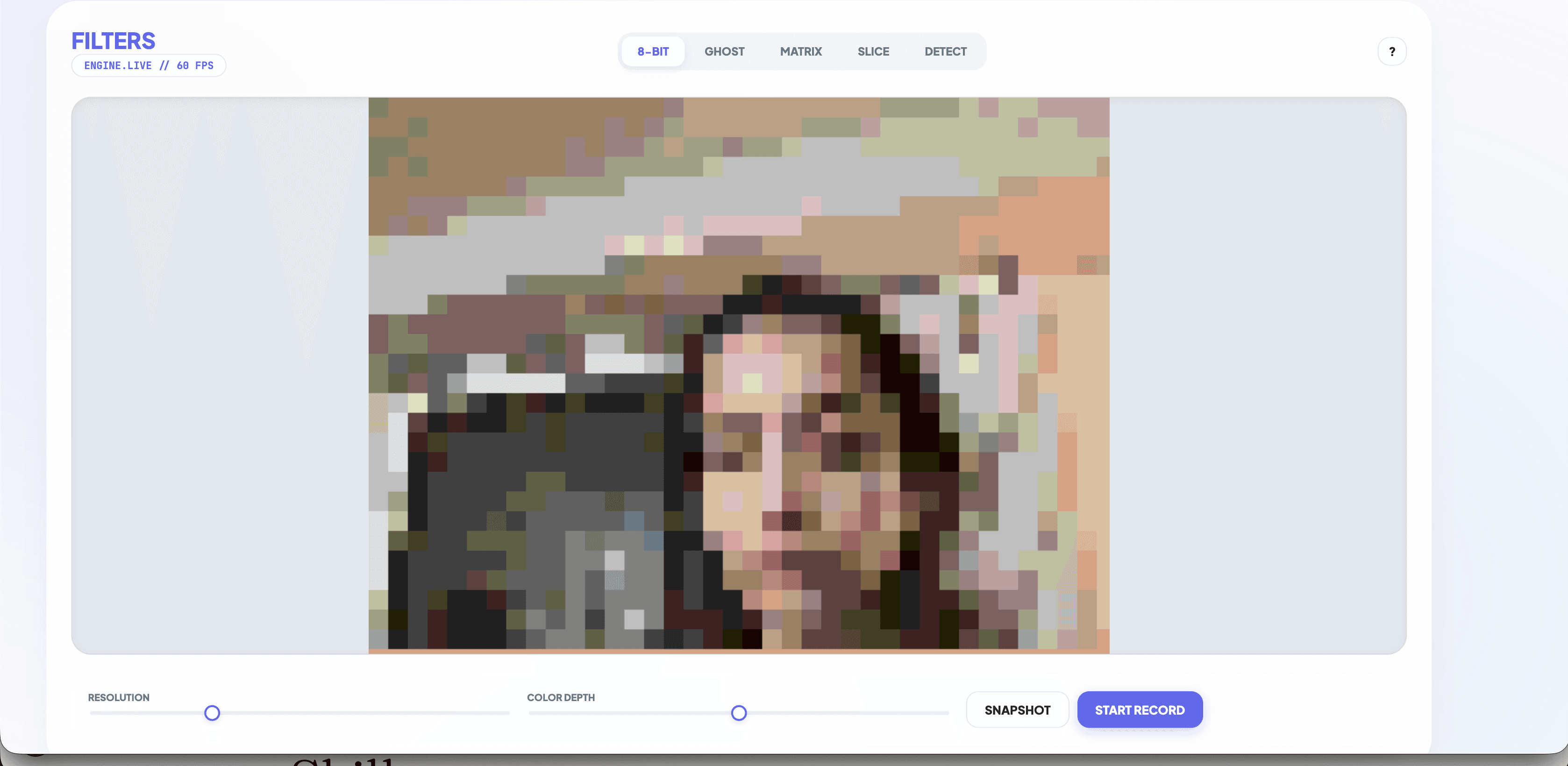
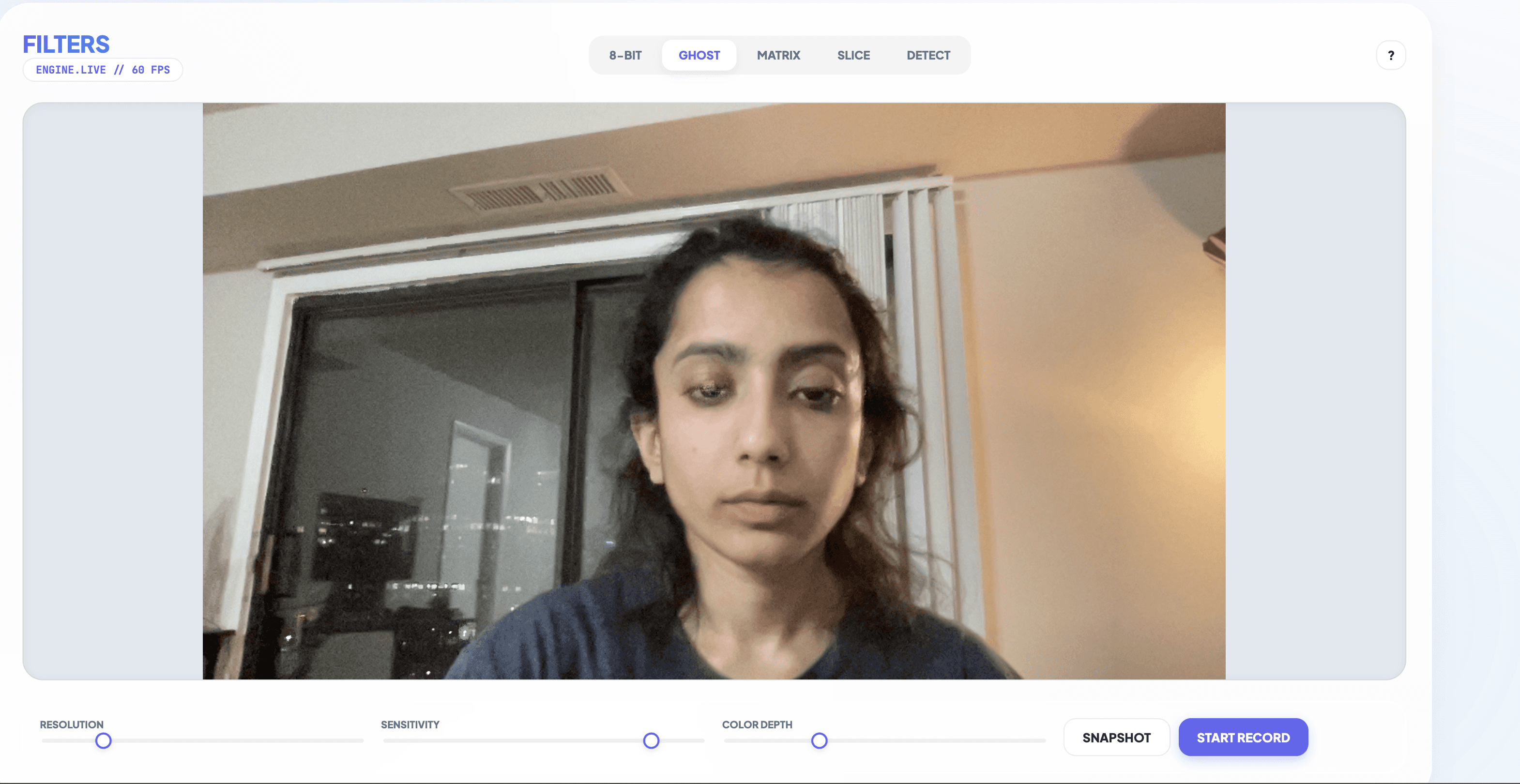
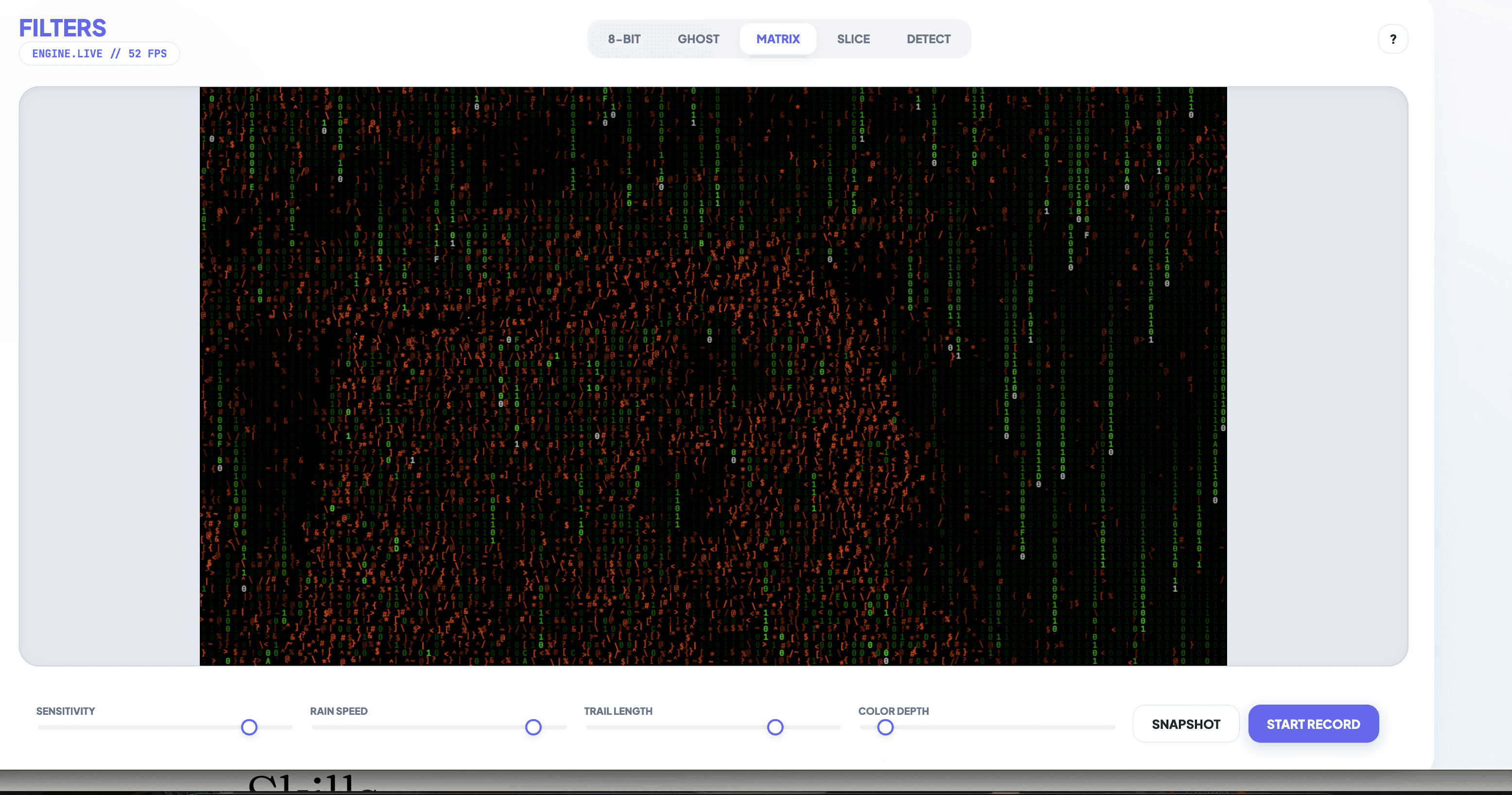
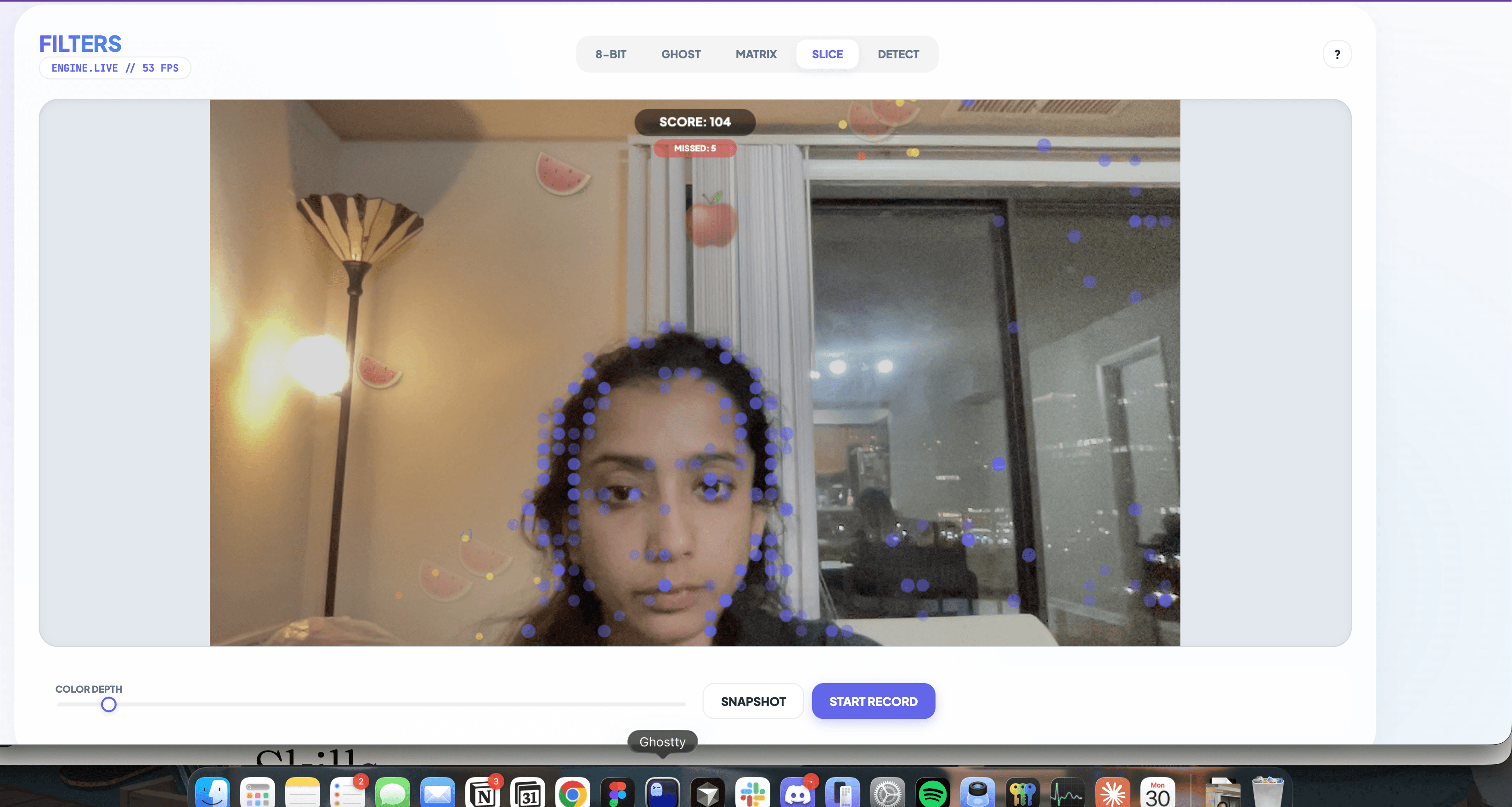 The 12 filters in the final app: 8-Bit (pixelation with color palettes), Ghost (motion-aware clarity), Matrix (binary rain reacting to your silhouette), Slice (the fruit ninja game), Detect (real-time object detection), Time Warp (each grid cell shows a different moment in time), Draw (air-drawing with smoothed hand tracking), Color Pop (Sin City effect), Face (14 AR masks), Cradle (fingertip strings), X-Ray (hand-framed panel), and Clone Stamp.
The app is one HTML file with no build step. I aimed for 60 fps, but performance depends on the device, filter, and camera resolution. The ML filters also need their model assets to load; a single file does not mean the app has no network dependencies.
The 12 filters in the final app: 8-Bit (pixelation with color palettes), Ghost (motion-aware clarity), Matrix (binary rain reacting to your silhouette), Slice (the fruit ninja game), Detect (real-time object detection), Time Warp (each grid cell shows a different moment in time), Draw (air-drawing with smoothed hand tracking), Color Pop (Sin City effect), Face (14 AR masks), Cradle (fingertip strings), X-Ray (hand-framed panel), and Clone Stamp.
The app is one HTML file with no build step. I aimed for 60 fps, but performance depends on the device, filter, and camera resolution. The ML filters also need their model assets to load; a single file does not mean the app has no network dependencies.
Shipping faster than I could explain
Near the end of the project I ran a structured UX audit on the app. Claude scored it 6 out of 10 and came back with a table of 13 specific issues. Missing loading states on the ML filters. Hover-only tooltips invisible on mobile. No way to restart the Slice game after game over. A "Depth" slider with a label that was actually controlling color quantization, which is a UX bug I had walked past for two weeks without noticing. I said "do all of them" and then "commit and push." I didn't review each change. I didn't look at the diffs. I just trusted it. A week earlier, during the ghost mode hell, I'd been checking every single line Claude wrote. Now I was shipping 13 separate fixes without reading any of them. I noticed the shift while it was happening and it made me a little uneasy. At what point had I stopped being the author? That uneasiness crystallized a couple of days later, when a friend asked me how the Clone Stamp filter worked. I started to explain, and about ten seconds in I realized I was describing what the filter does, not how it was implemented. I had to open the code and re-read my own project to remember the gesture detection logic. In one sense I built this app, and in another sense a language model built it and I curated what stayed. I can't draw a clean line between those two claims. Both are true and both are slightly misleading, and I've decided I'm okay with that, but it took me a while to get there.
AI vs me: who actually did what
If I try to split the project fairly, it looks something like this. Claude and Gemini were unambiguously better than me at: knowing specific algorithms I'd never heard of (One Euro Filter, Floyd-Steinberg), generating feature ideas in volume, writing implementation code fast, running multiple tasks in parallel, executing toward a well-specified target, and doing structured analysis when handed a framework (the UX audit). I was unambiguously better than the AI at: knowing when something looked bad, knowing when to stop adding features, reframing the goal when the AI was stuck inside the wrong mental model, spotting baked-in defaults that weren't right for this project (like the Japanese characters in Matrix mode), and making the aesthetic call about what this app should feel like. The interesting part is the middle. Some decisions were joint in a way I can't really unscramble. The ghost mode that finally worked used Claude's code and my goal reframe. The Draw filter is Claude's algorithm and my choice to ask the question at all. The 12 final filters are a mix of my ideas and Claude's ideas and ideas that started as mine and drifted into Claude's territory partway through. If you asked me to attribute each of the 4800 lines of code in the final file, I couldn't do it honestly. What I can say is that this version of the app, with these twelve filters, would not exist without both halves: the AI wrote nearly all of the code, and I decided which parts were worth keeping.
What I would repeat
I would start with the desired behavior, keep the prototype small, and test each new filter on screen before asking for another. “Shatter into pixels when I move” gave us a clearer target than the feature list I had started accumulating.
I would also keep reading the diffs. Near the end, I was accepting batches of fixes because earlier ones had worked. Having to reopen my own code to explain Clone Stamp was a useful warning about how much understanding I had given away.
The collaboration helped me find algorithms and try visual ideas I would not have reached alone. Choosing what belonged, checking what actually worked, and cutting the rest still needed me.
Try Filters. Allow camera access, try drawing in the air, and see how Ghost reacts when you stay still. Those are the two modes that taught me the most.